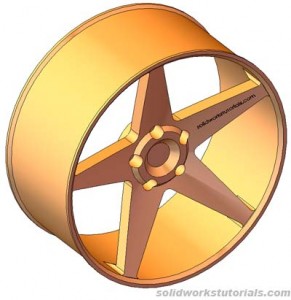
1. Create a skecth as show on Front Plane. 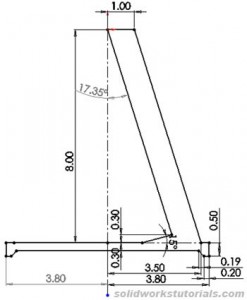
2. Revolve  sketch, 360 degree on top sketched line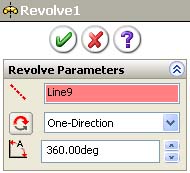
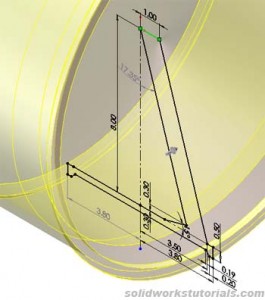 . OK.
. OK.
3. Create circle skecth, on right plane 4.8in 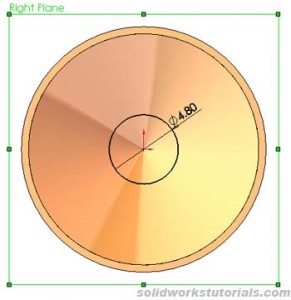 , extrude
  2in
2in 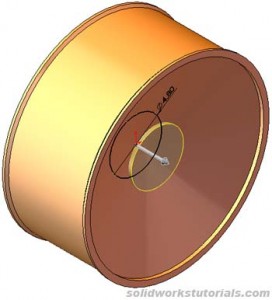 OK.
OK.
4. Insert sketch on edge wheel face, skecth for arm hole 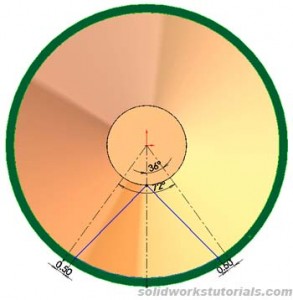 , extruded cut
  , through all, OK.
5. Add fillet R0.5in inner 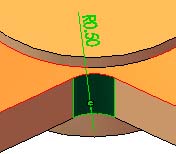 , add fillet 0.2in
 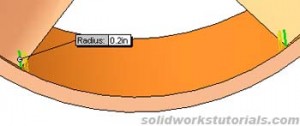 OK.
OK.
6. Click Circular Pattern  , click View>Temporary Axes, select center axis as rotation axis. 360 degree and #5 equal spacing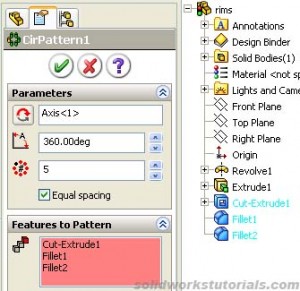
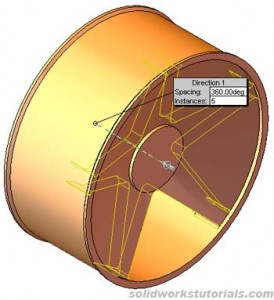 . Select Cut-Extrude1, Fillet1 and Fillet2 as a Features to Pattern. OK.
7. Select hub face, click Hole Wizard  , select Ansi Inch, Hex Bolt, size 1/2, through all. Position point at diameter 4in and 36 degree
 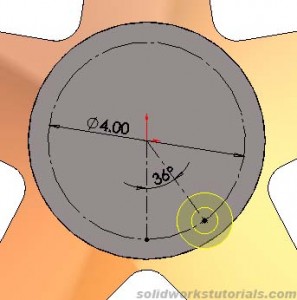 . OK.
. OK.
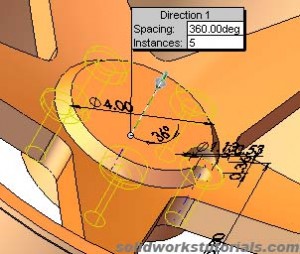
8. Click Circular Pattern , select center temporary axis, 360 degree and #5 equal spacing. Select CBORE for 1/2 Hex Head Bolt as Features to Pattern. OK. 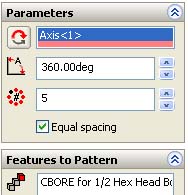
9. Add chamfer 0.5in to hub side. 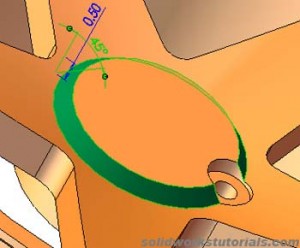
10. Click on hub face, insert skecth, sketch circle diameter 2.75in. Extrude Cut to 0.5in deep. 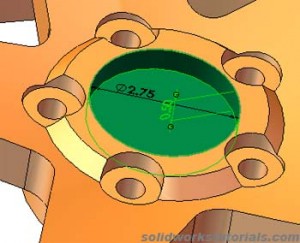
11. Add chamfer 0.5in to inner cut 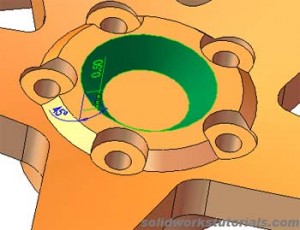 and add chamfer 0.25in to wheel edge
 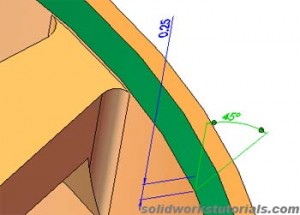 , OK. Done.