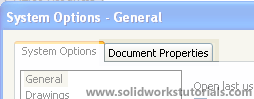
There is time we need to change our parts to metric units, but how? It’s very simple just few clicks its done. First click Option on top of main menu, 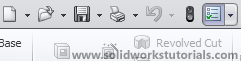 open Document Properties tab,
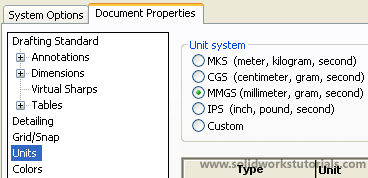
  select Units in menu tree and check MMGS (millimeter, gram, second ).
  Ok, done!
How to change to metric units
Previous post: How to create allen key
Next post: How to create USB head