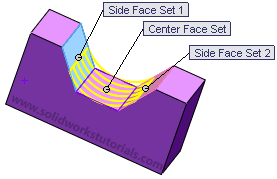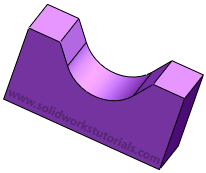
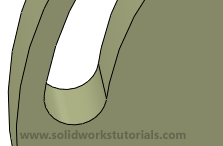
Did you know full radius fillet can be applied to taper faces and curve faces? Above picture is two example how I utilize this features.
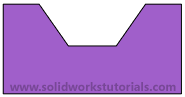
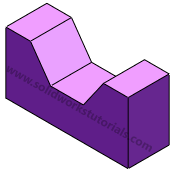
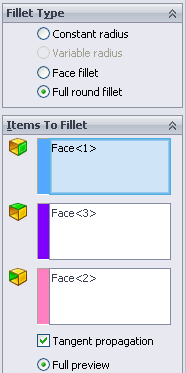
To add this full radius fillet, click on Fillet on its options select full radius fillet;
Tutorial 1 – SolidWorks User Interface
Tutorial 2 – Introduction to SolidWorks
Tutorial 3 – How to create simple box
Tutorial 4 – How to create simple plate
Tutorial 5 – How to create allen key
Tutorial 6 – How to create 17" wheel
Tutorial 7 – How to sheet metal part
Tutorial 8 – How to create spring
Tutorial 9 – How to engrave text
Tutorial 10 – How to create hex bolt
Tutorial 11 – How to create helical gear
Tutorial 12 – How to create aeroplane wings
Tutorial 13 – How to create turbo fins
Tutorial 14 – How to create U bracket
Tutorial 15 – How to create bottle cap
Tutorial 16 – How to create usb head
Tutorial 17 – How to twist phone cord
Tutorial 18 – How to engrave text
Tutorial 1 – How to use Revolved Boss/Base
Tutorial 2 – How to use Revolved Cut
Tutorial 3 – How to use Linear Pattern
Tutorial 4 – How to use Scale
Tutorial 5 – How to use Hole Wizard
Tutorial 6 – How to use Shell
Tutorial 7 – How to use Swept Boss/Base
Tutorial 8 – How to use Lofted Boss/Base
Tutorial 9 – How to change to metric units
Did you know full radius fillet can be applied to taper faces and curve faces? Above picture is two example how I utilize this features.
To add this full radius fillet, click on Fillet on its options select full radius fillet;
“Rafi Style wrote at 6:10pm from facebook
Hey …i am having problem with sweep boss/base function. I need to make a pipe for which I have made the required 2d geometry with fillets of 5mm in corners..When tried to sweep it says two reason that i am unable to understand
a)the path passing too closely to itself
b)the way the section twists as it moves along the path
Plz help me in this….  “
“
From my understanding his problem is somethings like this…
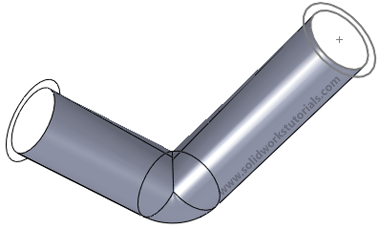
Let’s analyze why?
[continue reading…]
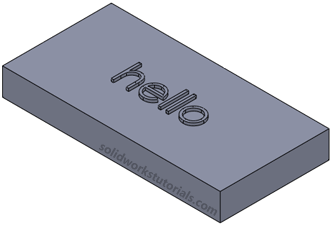
This tutorial will show you how you can control font size and it’s positions.
1.Click New.  Click Part,
 OK.
OK.
2.Click Front Plane  and click on Sketch.
3.Click Rectangle,  sketch a rectangle.
[continue reading…]
On last post, I’ve created an extension spring it’s model by swept a circle sketch along the curve path profile.
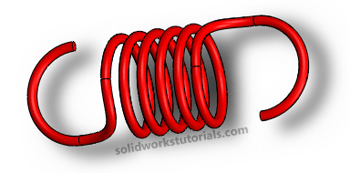
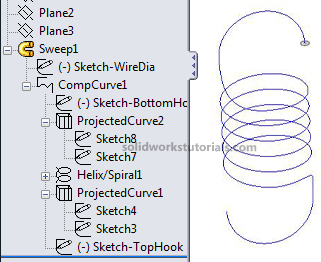
Let’s take a look at the model tree
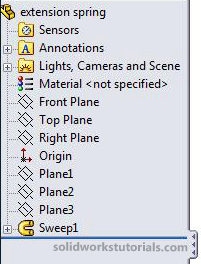
Surprise? Only one feature can model this spring? Let’s take a look deeper…
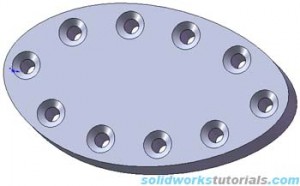
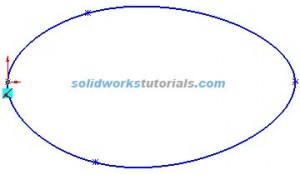
1. Create new part, sketch egg shape on top plane using spline  .
. 
2. Extrude  shape to 0.3in
 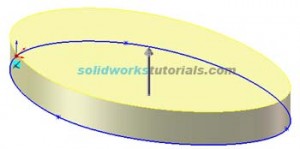 , click top face and right click Insert Sketch.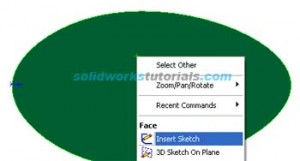
[continue reading…]
I try to model a extension spring hook and here are my snapshot.. nice right?
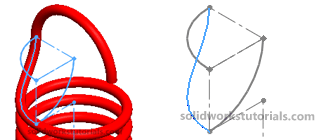
It simple spring created by composite helix and curve and a sweep feature along the curve path. The tricky part is end of spring loop and the curve along the hook.
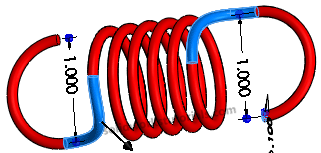
Lets take a closer look,
If you're new to SolidWorks, I would recommend you get my SolidWorks Tutorial Beginner ebook.
Zack,
SolidworksTutorials.com Editor.